
Ship Windows: Sell Inventory by Ship Date
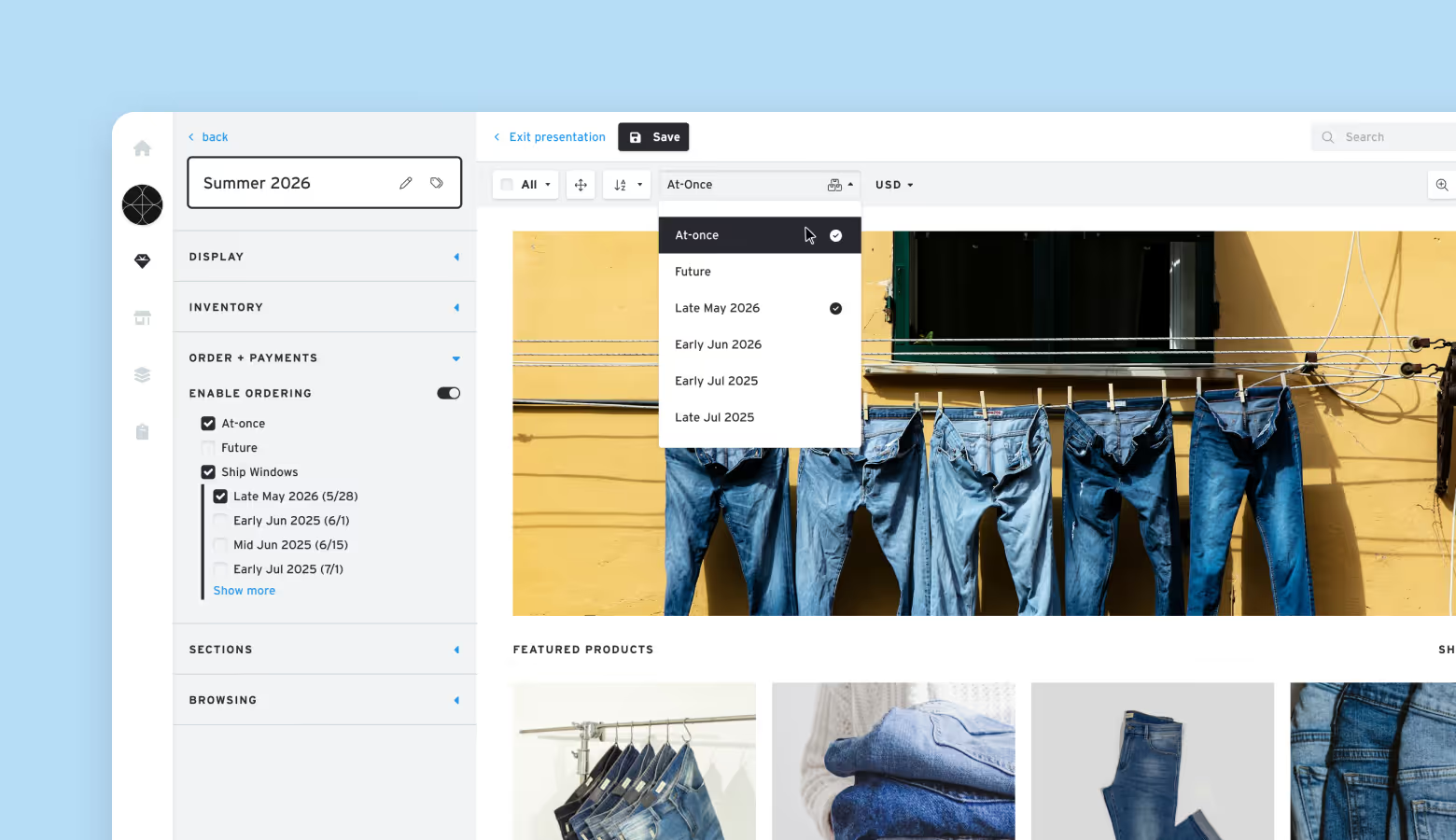
We’re excited to announce the release of Ship Windows — a powerful new way for sellers to manage and present future inventory with greater precision and flexibility.
With Ship Windows, sellers can now plan and allocate inventory for multiple timeframes within the same month, giving buyers a clearer view of what’s available and when. This is a game-changer for seasonal drops, preorders, and forward-planning with retail partners.
What’s a Ship Window?
A Ship Window defines a specific shipping period within a given month. You can now create up to four distinct ship windows per month, including:
- Early Jan 2026
- Mid Jan 2026
- Late Jan 2026
- Or a general Jan 2026 window
Each ship window is linked to a specific ship date, which determines its position in the month. You can choose either a precise segment (Early, Mid, Late) or a full-month window — but note, each ship window can only be used once.
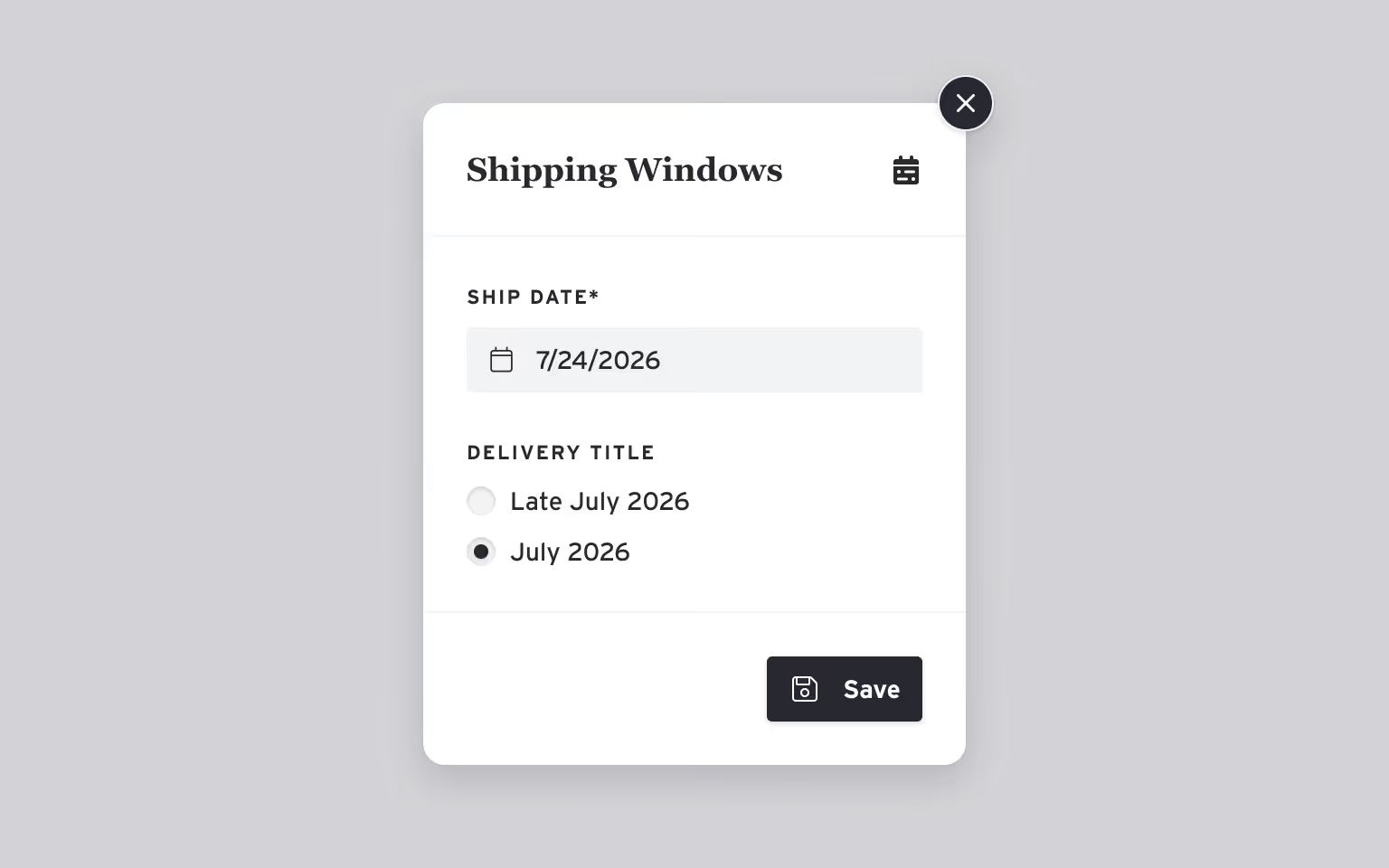
Managing Inventory by Ship Window
Ship Windows allow you to define future inventory by period, making it easier to align supply with drop dates, seasonal buys, or customer delivery expectations.
- Inventory can be assigned to Ship Windows manually or via SKU inventory import.
- Once assigned, SKUs will appear under the corresponding window in both seller and buyer views.
- Ship Window inventory behaves just like At Once or Future inventory — and will show availability accordingly.
How Buyers Interact With Ship Windows
When a Ship Window is applied to a presentation, buyers will be able to:
- Toggle between Ship Windows, At Once, and Future to view inventory by timeframe.
- Place orders against specific Ship Windows, giving them control over when they want items to ship.
- See inventory availability tied to each window, helping streamline purchase planning.
Flexibility for Sellers
Sellers can:
- Apply Ship Windows to any presentation, just like they would with At Once or Future.
- Change in-progress orders to a different active Ship Window if needed.
- Clearly communicate availability and manage allocations across multiple delivery timeframes.
Available on Business Plans & Higher
Ship Windows are available exclusively to Business Plan users and above. This feature is designed for growing brands managing seasonal inventory, staggered deliveries, and high-volume buyer relationships.
Why Use Ship Windows?
- Perfect for seasonal assortments or staggered drops
- Cleaner, buyer-friendly presentations with clear ship timing
- Greater control over inventory planning and allocation
If you’re already on a Business plan, you can start using Ship Windows today. Click on the Ship Window tab on your products page to create your first set of ship windows and upload SKU quantities for each ship window.