
Buyer Maps: See Every Store You Sell To
Availability: Business plan and above
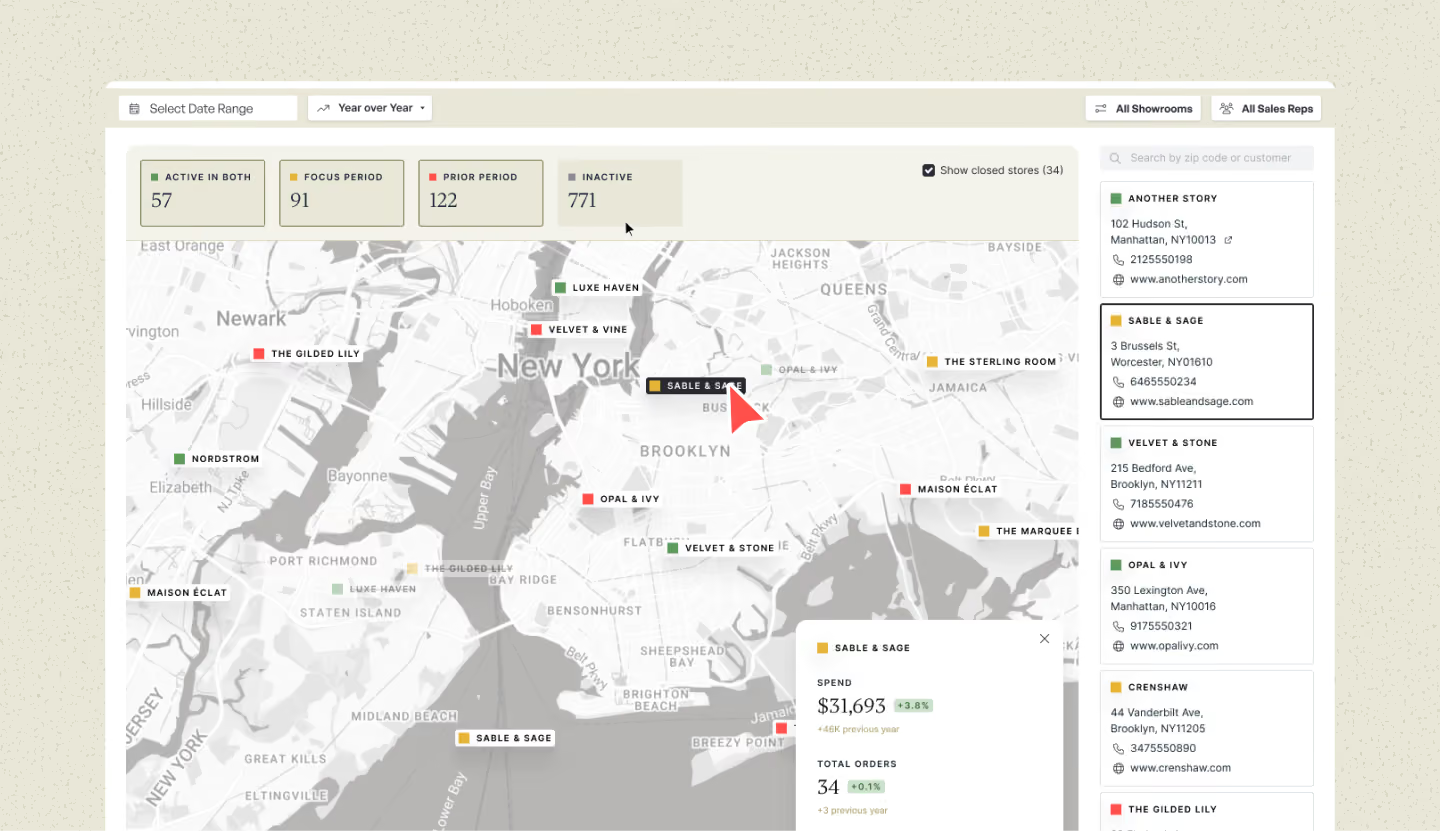
Sellers can now see all their stores on a map for any area. Buyer Maps compares buying activity from now against an earlier period or the same time last year, so you can see who needs a visit.
How It Works
- See stores by area: Every store you sell to shows up as a pin on the map for the area you pick.
- Compare two periods: Set a Target Period and compare it against a Previous Period or Previous Year.
- Four store groups: Active (bought in both periods), Inactive (did not buy in either period), Target Period (bought now, but not before), and Previous Period (bought before, but not now).
- Closed-store flags: Brandboom checks if a store has closed and flags it automatically, so your buyer list stays up to date.
Why It's Useful
- Field visits: Reps can spot nearby stores that stopped buying and add a stop on the same trip. Closed-store flags stop them from wasting a visit.
- Area and sales planning: Managers can see where stores are grouped to send reps where they'll help the most, spot areas with too many or too few stores, help a new rep get up to speed fast in an area, and catch a rise in stores that stopped buying before it shows up in sales.
- Travel and cost savings: Gas, mileage, and time all add up on the road, so a trip to just one store rarely pays off anymore. With Buyer Maps, reps can check who else is nearby before they leave and build a route that covers several stores in one trip.
How to access it:
Go to the home page and you will see a new Buyer Maps tab next to Analytics. Pick an area and a time period to get started.